F5_vpn_edge client.exe: What It Is and How to Check It Safely
Learn what f5_vpn_edge client.exe does, how to verify it, and what to do if it causes errors or seems suspicious.
f5_vpn_edge client.exe is generally the executable associated with F5 BIG-IP Edge Client, software organizations use to provide secure remote access through a VPN. If you found it running on a Windows computer, it may be a normal part of your employer’s or school’s network setup. However, filenames can be copied or imitated, so confirm the file’s publisher and location before trusting it.

Editor's pick: NordVPN — fast, secure VPN — Strong encryption, a no-logs policy and apps for every device. 30-day money-back guarantee. Get NordVPN →
How to check whether f5_vpn_edge client.exe is legitimate
| Check | What to look for | Reassuring sign | Warning sign | Next step |
|---|---|---|---|---|
| File location | Folder path | Matches the installed F5 VPN software | Unexpected or temporary folder | Verify the installation source |
| Digital signature | File properties | Valid signature from the expected publisher | Missing or invalid signature | Check with your IT team |
| Installation history | Installed apps or deployment records | Installed with your organization’s VPN client | No known installation | Ask your administrator |
| Network context | When it runs | Runs while connecting to a work VPN | Runs unexpectedly or repeatedly | Review VPN activity |
| Security scan | Trusted security software | No detection | Malware alert or suspicious behavior | Follow your security team’s guidance |
| File name | Exact spelling | Matches the expected client component | Similar-looking or misspelled name | Don’t assume the name proves legitimacy |
Compiled November 2026; check the provider's site for current details.
| VPN | Obfuscation | From / month | Plan | Free plan | Refund | Alipay | UnionPay | Crypto | Website opens in China | Trustpilot | |
|---|---|---|---|---|---|---|---|---|---|---|---|
 ZoogVPN | Turn on manually Shadow | $2.49/mo | 27 months: $59.99 | Yes | 7 days | ✓ | ✓ | ✓ | ✓ | Official site blocked; our special link opens (4.4 s) | 4.2/5 (195 reviews) |
 NordVPN | Turn on manually Obfuscated Servers / NordWhisper | $3.49/mo | 27 months: $94.23 | No | 30 days | ? | ✗ | ✓ | ✓ | ✗ Blocked | 4.2/5 (51,628 reviews) |
 ExpressVPN | ✓ On by default all servers | $3.00/mo | 28 months: $84 | No | 30 days | ✗ | ✗ | ✓ | ✗ | ✗ Blocked | 4.4/5 (29,706 reviews) |
 Surfshark | ✓ On by default Camouflage, with OpenVPN | See site | See site | No | 30 days | ✗ | ✗ | ✗ | ✓ | ✗ Blocked | 4.3/5 (31,823 reviews) |
 Proton VPN | Turn on manually Stealth, free plan too | $2.99/mo | 12 months: $35.88 | Yes | 30 days | ✗ | ✗ | ✗ | ✓ | ✗ Blocked | 2.1/5 (1,040 reviews) |
 Astrill VPN | Turn on manually StealthVPN / OpenWeb | $12.50/mo | 24 months: $300 | No | See site | ✗ | ✗ | ✗ | ✓ | ✗ Blocked | 1.3/5 (110 reviews) |
 Private Internet Access | Turn on manually Shadowsocks, OpenVPN only | $2.03/mo | 40 months: $81.2 | No | 30 days | ✗ | ✗ | ✗ | ✗ | ✗ Blocked | 4.2/5 (11,033 reviews) |
 CyberGhost | Turn on manually selected servers | $2.19/mo | 28 months: $61.32 | No | 45 days | ✗ | ✗ | ✗ | ✓ | ✗ Blocked | 4.0/5 (24,178 reviews) |
 PureVPN | Turn on manually switch to OpenVPN | $1.69/mo | 60 months: $101.55 | No | 31 days | ? | ? | ✗ | ✓ | ✗ Blocked | 4.4/5 (17,994 reviews) |
 AdGuard VPN | ✓ On by default TrustTunnel | $2.99/mo | 24 months: $71.76 | Yes | 30 days | ✓ | ✗ | ✓ | ✓ | Official site blocked; our special link opens (3.7 s) | 4.3/5 (290 reviews) |
 Mullvad | Turn on manually QUIC / Shadowsocks / LWO | $5.61/mo | €5/mo | No | 14 days | ✗ | ✗ | ✗ | ✓ | ✗ Blocked | 3.2/5 (192 reviews) |
 Windscribe | Turn on manually Stealth / WStunnel | $5.75/mo | 12 months: $69 | Yes | See site | ✗ | ✗ | ✗ | ✓ | ✗ Blocked | 4.7/5 (13,355 reviews) |
 StrongVPN | Turn on manually Scramble, OpenVPN TCP | See site | See site | No | 30 days | ✓ | ✗ | ✗ | ✗ | ✗ Blocked | 4.4/5 (2,695 reviews) |
 LightXtreme 闪连 | Not listed | $7.08/mo | 12 months: $84.99 | Yes | 30 days | ✓ | ✓ | ✓ | ✓ | ✓ Yes (3.5 s) | No page |
Prices checked 2026-11-10 on each vendor's pricing page (cheapest long plan, USD). Check the vendor's checkout for the final price.
Obfuscation checked 2026-11-14 on each vendor's site and help center: "on by default" = nothing to set; "turn on manually" = switch protocol or mode in settings; "not listed" = the vendor describes no obfuscation.
Payment methods checked 2026-11-10 on each vendor's payment pages: all 14 take cards and PayPal; ✗ = not listed, ? = the vendor's own pages disagree.
China access: whether the official website opens from mainland China networks (tests the website only, not the VPN connection). Last checked 2026-11-18 01:02 Beijing time.
Trustpilot score and review count checked 2026-11-10.
What f5_vpn_edge client.exe does
F5 BIG-IP Edge Client helps a computer connect to services protected by an organization’s F5 BIG-IP Access Policy Manager (APM) system. Depending on how the organization configured access, the client may establish a VPN connection, apply connection settings, or support access to internal websites and applications.
You may see the process when:
- You launch the F5 VPN or Edge Client.
- The client starts automatically with Windows.
- Your organization’s remote-access setup runs in the background.
- You are connected to a work or school network.
The precise filename and installation details can vary by client version and deployment. Seeing a process with a similar name does not, by itself, establish that it is the official F5 software.
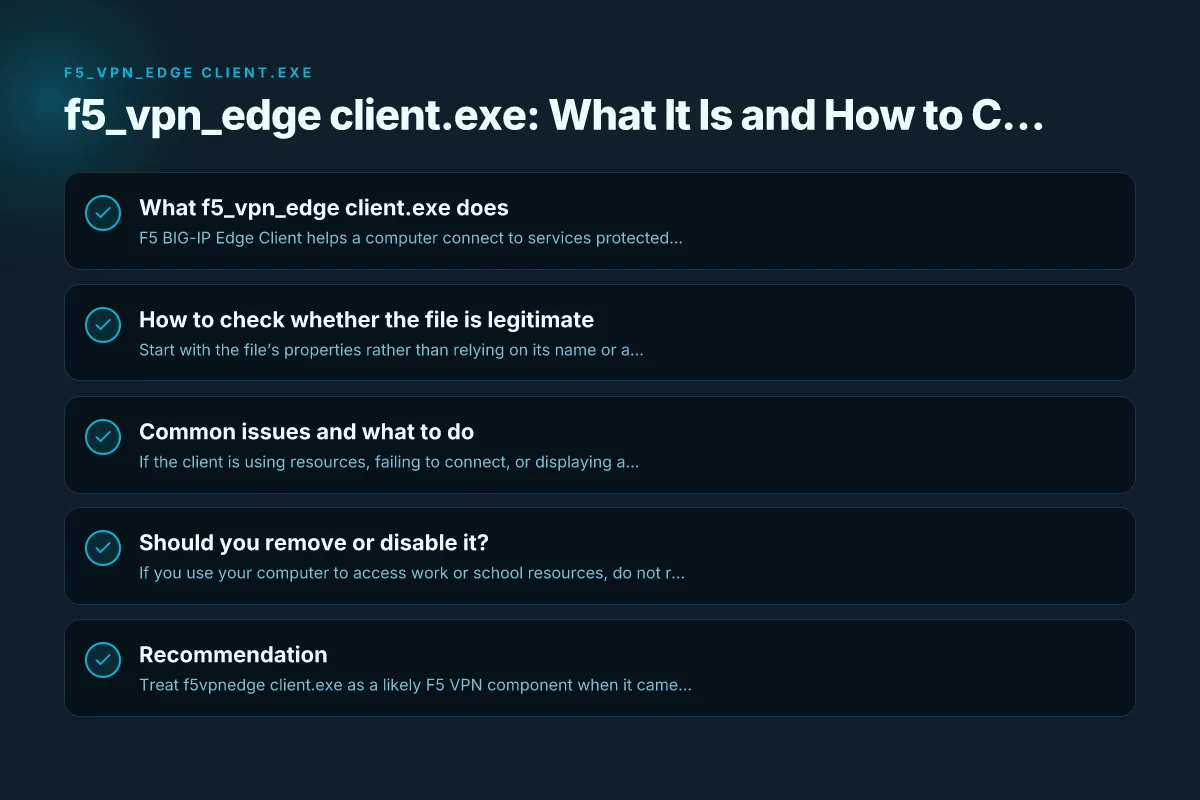
How to check whether the file is legitimate
Start with the file’s properties rather than relying on its name or an online description. In Task Manager, right-click the process and select Open file location. Then right-click the executable, choose Properties, and review the Digital Signatures tab if it is present. Big IP F5 VPN Download Windows: Official Setup and Connection Guide
Check these details:
- Publisher: Look for a valid signature from F5 or the organization that supplied the software.
- File location: Compare it with the installation path used by your company’s approved installer. There is no single path that is guaranteed for every version or deployment.
- Signature status: A missing, invalid, or unexpected signature deserves further investigation, though it is not conclusive proof of malware.
- Security scan: Use your organization’s endpoint protection or a reputable antivirus tool to scan the file.
A file name can include spaces, underscores, or extra words to look convincing. Treat an unexpected location, an unfamiliar publisher, or security alerts as reasons to pause and ask IT.
Common issues and what to do
If the client is using resources, failing to connect, or displaying an error, first check whether your organization’s VPN service is experiencing an outage. Confirm that you are using the VPN address and sign-in method provided by your IT team.
Try these basic steps: F5 big IP Edge VPN client download: Official Sources and Safe Installation
- Disconnect and reconnect using the approved client.
- Restart the computer if the process appears stuck.
- Install updates only through your organization’s software portal or official instructions.
- Note the exact error message and the time it appeared.
- Contact your help desk if the problem continues.
Avoid downloading replacement executables from third-party sites. VPN clients handle sensitive network access, so unofficial installers can create security risks or prevent the client from working correctly.
Options for handling f5_vpn_edge client.exe issues
| Option | When it fits | Main benefit | Main risk | Recommended action |
|---|---|---|---|---|
| Leave it running | VPN works and the file checks out | Preserves VPN access | Issues may remain if symptoms recur | Monitor for changes |
| Restart the VPN client | Client is temporarily unresponsive | May restore the connection | Interrupts an active session | Save work first |
| Update or repair the client | Client errors persist | Can fix damaged or outdated files | May require administrator access | Use an approved installer |
| Contact IT support | Device is organization-managed | Gets guidance for the approved setup | Resolution may take time | Share the error and file details |
| Scan the file | Legitimacy is uncertain | Helps identify security concerns | A clean scan is not proof of legitimacy | Use trusted security software |
| Disable or remove it | IT confirms it is unnecessary | Stops an unwanted component | Can break VPN access or workplace tools | Confirm dependencies first |
Compiled November 2026; check the provider's site for current details.
Should you remove or disable it?
If you use your computer to access work or school resources, do not remove or disable the client without checking with your IT department. Doing so may prevent VPN access or violate your organization’s device policies. On a personal computer where you no longer need the software, uninstall it through Settings > Apps > Installed apps rather than deleting the executable manually. VPN for PC: How to Choose and Set One Up
| Situation | Recommended action |
|---|---|
| Installed by your employer or school | Keep it and ask IT before changing it |
| No longer needed on a personal device | Uninstall it through Windows Settings |
| Location or publisher looks unusual | Don’t run it; scan it and contact IT or a trusted technician |
| Antivirus flags the file | Follow your security team’s instructions; don’t simply allow it |
If you suspect the file is malicious, disconnect from sensitive accounts and follow your organization’s incident-reporting process. Avoid deleting files from system or application folders until a security professional has assessed them.
Recommendation
Treat f5_vpn_edge client.exe as a likely F5 VPN component when it came from an approved work or school installation, but verify its signature and location rather than trusting the filename alone. Keep it if you need organizational VPN access, and contact your IT team before removing it or investigating a suspicious copy.