Free VPN With Location Changer: How to Choose One Safely
Find out how free VPNs change your virtual location, what their limits are, and how to choose a safer option.


A free VPN with location changer lets you connect through a VPN server in a different region, making websites and apps see the server’s IP address rather than your usual one. It can be useful for safer browsing on public Wi-Fi or testing how a website appears from another market. However, free services vary widely: some offer only a few server locations, while others impose data limits or collect more information than users expect. The right choice depends on what you need, how much privacy you expect, and whether the provider explains its practices clearly.

Editor's pick: NordVPN — fast, secure VPN — Strong encryption, a no-logs policy and apps for every device. 30-day money-back guarantee. Get NordVPN →
Compare free VPN location-changing options by safety and usability
| Option | Change location? | Free access | Privacy evidence | Main trade-off |
|---|---|---|---|---|
| Reputable free VPN plan | Supported | Limited | Published privacy policy | Fewer locations |
| Paid VPN free trial | Supported | Temporary | Check independent audits | Ends after trial |
| Browser proxy | Sometimes | Often | Provider-dependent | May cover browser only |
| Public VPN server list | Varies | Often | Often unclear | Higher trust risk |
| Unknown free VPN app | Varies | Often | May be missing | Avoid sensitive activity |
| Built-in browser VPN | Sometimes | Often | Check what it protects | Browser-only coverage |
Compiled November 2026; check the provider's site for current details.
| VPN | Obfuscation | From / month | Plan | Free plan | Refund | Alipay | UnionPay | Crypto | Website opens in China | Trustpilot | |
|---|---|---|---|---|---|---|---|---|---|---|---|
 ZoogVPN | Turn on manually Shadow | $2.49/mo | 27 months: $59.99 | Yes | 7 days | ✓ | ✓ | ✓ | ✓ | Official site blocked; our special link opens (4.4 s) | 4.2/5 (195 reviews) |
 NordVPN | Turn on manually Obfuscated Servers / NordWhisper | $3.49/mo | 27 months: $94.23 | No | 30 days | ? | ✗ | ✓ | ✓ | ✗ Blocked | 4.2/5 (51,628 reviews) |
 ExpressVPN | ✓ On by default all servers | $3.00/mo | 28 months: $84 | No | 30 days | ✗ | ✗ | ✓ | ✗ | ✗ Blocked | 4.4/5 (29,706 reviews) |
 Surfshark | ✓ On by default Camouflage, with OpenVPN | See site | See site | No | 30 days | ✗ | ✗ | ✗ | ✓ | ✗ Blocked | 4.3/5 (31,823 reviews) |
 Proton VPN | Turn on manually Stealth, free plan too | $2.99/mo | 12 months: $35.88 | Yes | 30 days | ✗ | ✗ | ✗ | ✓ | ✗ Blocked | 2.1/5 (1,040 reviews) |
 Astrill VPN | Turn on manually StealthVPN / OpenWeb | $12.50/mo | 24 months: $300 | No | See site | ✗ | ✗ | ✗ | ✓ | ✗ Blocked | 1.3/5 (110 reviews) |
 Private Internet Access | Turn on manually Shadowsocks, OpenVPN only | $2.03/mo | 40 months: $81.2 | No | 30 days | ✗ | ✗ | ✗ | ✗ | ✗ Blocked | 4.2/5 (11,033 reviews) |
 CyberGhost | Turn on manually selected servers | $2.19/mo | 28 months: $61.32 | No | 45 days | ✗ | ✗ | ✗ | ✓ | ✗ Blocked | 4.0/5 (24,178 reviews) |
 PureVPN | Turn on manually switch to OpenVPN | $1.69/mo | 60 months: $101.55 | No | 31 days | ? | ? | ✗ | ✓ | ✗ Blocked | 4.4/5 (17,994 reviews) |
 AdGuard VPN | ✓ On by default TrustTunnel | $2.99/mo | 24 months: $71.76 | Yes | 30 days | ✓ | ✗ | ✓ | ✓ | Official site blocked; our special link opens (3.7 s) | 4.3/5 (290 reviews) |
 Mullvad | Turn on manually QUIC / Shadowsocks / LWO | $5.61/mo | €5/mo | No | 14 days | ✗ | ✗ | ✗ | ✓ | ✗ Blocked | 3.2/5 (192 reviews) |
 Windscribe | Turn on manually Stealth / WStunnel | $5.75/mo | 12 months: $69 | Yes | See site | ✗ | ✗ | ✗ | ✓ | ✗ Blocked | 4.7/5 (13,355 reviews) |
 StrongVPN | Turn on manually Scramble, OpenVPN TCP | See site | See site | No | 30 days | ✓ | ✗ | ✗ | ✗ | ✗ Blocked | 4.4/5 (2,695 reviews) |
 LightXtreme 闪连 | Not listed | $7.08/mo | 12 months: $84.99 | Yes | 30 days | ✓ | ✓ | ✓ | ✓ | ✓ Yes (3.5 s) | No page |
Prices checked 2026-11-10 on each vendor's pricing page (cheapest long plan, USD). Check the vendor's checkout for the final price.
Obfuscation checked 2026-11-14 on each vendor's site and help center: "on by default" = nothing to set; "turn on manually" = switch protocol or mode in settings; "not listed" = the vendor describes no obfuscation.
Payment methods checked 2026-11-10 on each vendor's payment pages: all 14 take cards and PayPal; ✗ = not listed, ? = the vendor's own pages disagree.
China access: whether the official website opens from mainland China networks (tests the website only, not the VPN connection). Last checked 2026-11-18 01:02 Beijing time.
Trustpilot score and review count checked 2026-11-10.
What a VPN location changer actually does
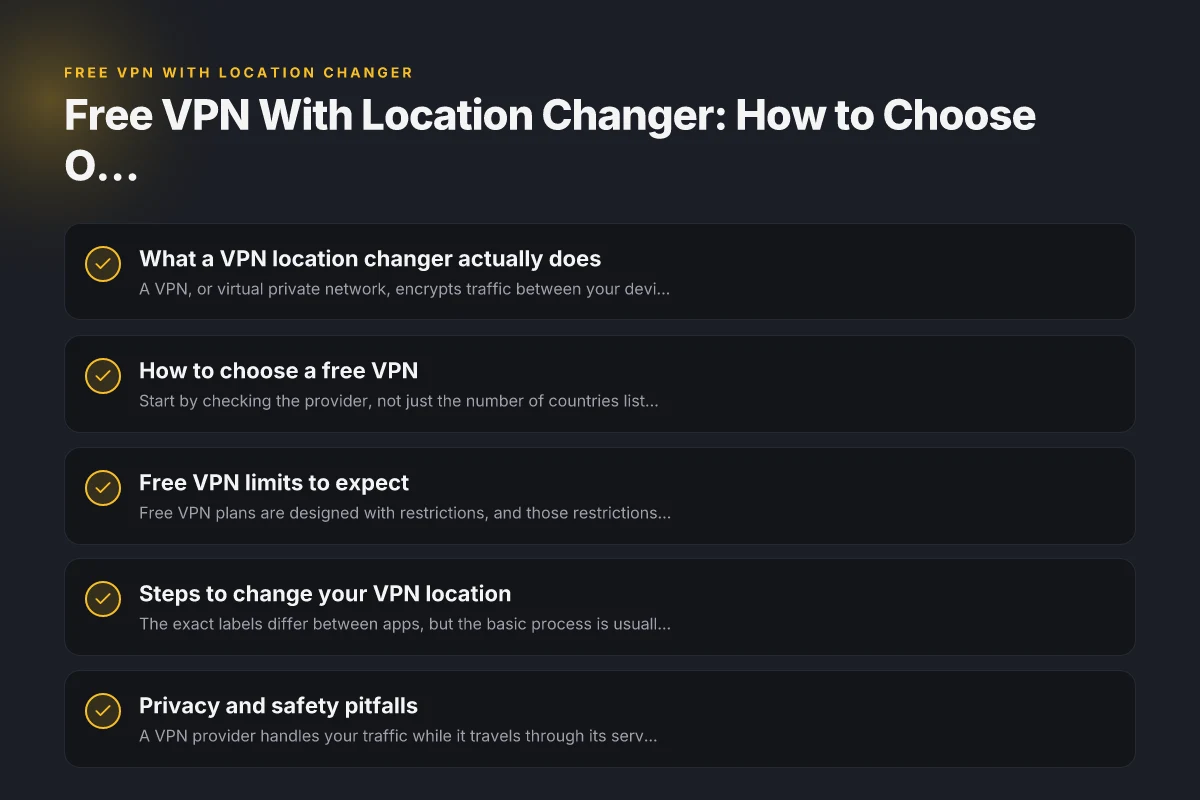
A VPN, or virtual private network, encrypts traffic between your device and a VPN server. When you choose a server location in the app, your internet traffic appears to come from that server’s IP address. For example, connecting to a server in Germany may make an IP-based location lookup show Germany.
This is a change to your apparent network location, not a change to your physical location. A VPN usually does not alter GPS data, your phone’s location settings, or location information shared directly by an app. Websites can also use other signals, such as cookies, account details, language settings, or browser data, to estimate where you are.
A VPN can help:
- Reduce exposure of your IP address to websites and services.
- Encrypt traffic on many public Wi-Fi networks.
- Check how a site or service behaves when accessed from a different region.
- Make it harder for a local network operator to see the contents of encrypted traffic.
It does not make you completely anonymous, protect against every form of tracking, or guarantee access to region-restricted content. What Is My IP Address NordVPN? Find and Check Your VPN IP
How to choose a free VPN
Start by checking the provider, not just the number of countries listed in its app. A trustworthy service should explain who operates it, what information it collects, how long it keeps that information, and how it pays for the free plan.
Look for these features:
- Clear privacy policy: It should describe logging practices in plain language.
- Modern encryption and secure protocols: The provider should identify the security technologies it supports.
- A kill switch: This can block internet access if the VPN connection drops, reducing the chance of exposing your regular IP address.
- Useful location options: Check whether the free plan includes the countries or regions you need.
- Transparent limits: Data caps, speed limits, and device restrictions should be stated upfront.
- A credible business model: Free access may be supported by paid subscriptions, but be cautious if the service relies on unclear advertising or data practices.
Independent security reviews or audits can provide additional confidence, but check what was examined and when. An audit is not a guarantee that a service is risk-free.
Use this checklist to choose a free VPN F5 VPN Client Download: Get the Official BIG-IP Edge Client
| Check | Safer sign | Warning sign | Why it matters |
|---|---|---|---|
| Privacy policy | Clear data practices | Vague or missing policy | Shows what may be collected |
| Logging | Minimal, explained collection | Unclear activity logging | Location changes do not ensure privacy |
| Security | Current encryption details | No security information | Protects traffic on the connection |
| Ownership | Identifiable provider | Hidden operator | Helps assess accountability |
| App permissions | Relevant and limited | Unnecessary access requests | Limits exposure of device data |
| Free-plan terms | Clear limits | Surprising restrictions | Avoids unexpected caps or charges |
| Independent checks | Audits or credible reviews | Unsupported privacy claims | Adds evidence beyond marketing |
Compiled November 2026; check the provider's site for current details.
Free VPN limits to expect
Free VPN plans are designed with restrictions, and those restrictions can affect everyday use. A provider may offer a small selection of locations, limit monthly data, reduce connection speeds, or allow only one device at a time. Server availability can also change, especially during busy periods.
| Feature | Common free-plan limitation | What to check |
|---|---|---|
| Locations | A few countries or automatically assigned servers | Whether you can manually select a location |
| Data | Daily or monthly cap | Whether the allowance suits your browsing |
| Speed | Congestion or deliberate limits | Performance at different times of day |
| Streaming | Some services may block VPN traffic | Whether access is supported, not just advertised |
| Devices | One connection or limited installations | How many devices you need to protect |
| Support | Basic help resources | How to get assistance if the app fails |
A free VPN may be adequate for occasional browsing, but it may not be suitable for frequent video streaming, large downloads, or continuous use. Avoid assuming that “unlimited” means unrestricted in every way. Speed, server choice, and other features may still be limited.
Steps to change your VPN location
The exact labels differ between apps, but the basic process is usually straightforward: Microsoft Edge Secure Network VPN: How It Works and How to Use It
- Download the VPN from the provider’s official website or your device’s trusted app store.
- Create an account if required, and review the permissions requested by the app.
- Open the location or server list.
- Choose an available country or city, then tap Connect.
- Confirm the app shows an active connection.
- Check your apparent IP location with a reputable IP lookup site if you need to verify the change.
If the location does not change, reconnect to another server and check that the VPN is active. You can also close and reopen the browser or app. Remember that a location lookup only checks the apparent IP address. It does not confirm that GPS or other location signals have changed.
Compare common free VPN limits before changing location
| Limit | What to expect | What to check |
|---|---|---|
| Server locations | Smaller selection | Whether the country you need is offered |
| Data allowance | May be capped | Reset schedule and usage counter |
| Connection speed | May vary or be restricted | Performance at busy times |
| Device support | May be limited | Compatibility with your devices |
| Streaming access | May not work reliably | Service-specific availability |
| Simultaneous connections | May be restricted | Number of devices allowed |
| Location switching | May have restrictions | Switching rules and cooldowns |
Compiled November 2026; check the provider's site for current details.
Privacy and safety pitfalls
A VPN provider handles your traffic while it travels through its servers, so choosing one means placing trust in that company. A VPN shifts some visibility away from your internet provider, but it does not eliminate the need to trust an intermediary. Urban VPN: Features, Apps, and What to Consider
Be cautious of services that:
- Promise complete anonymity or guaranteed access to every streaming platform.
- Ask for permissions that do not fit their stated purpose.
- Have no identifiable operator or meaningful privacy policy.
- Use aggressive ads, unclear subscription prompts, or unexplained data collection.
- Claim that a VPN alone protects you from malware, phishing, or account tracking.
Keep your device and VPN app updated, use strong passwords and multifactor authentication where available, and avoid entering sensitive information on suspicious sites. For extra privacy, review browser permissions and location settings separately.
Recommendation
For occasional use, choose a free VPN with a clearly documented privacy policy, reliable security features, and a location list that meets your needs. Read the free-plan limits before signing up, and treat IP location changing as one privacy tool, not a way to become invisible online. If you need consistent speeds, more server choices, or dependable streaming access, compare reputable paid plans rather than relying on an unsuitable free tier.