Best Free VPN Extension for Microsoft Edge: What to Choose
Compare free VPN extensions for Microsoft Edge, understand their limits, and choose a safer option for everyday browsing.


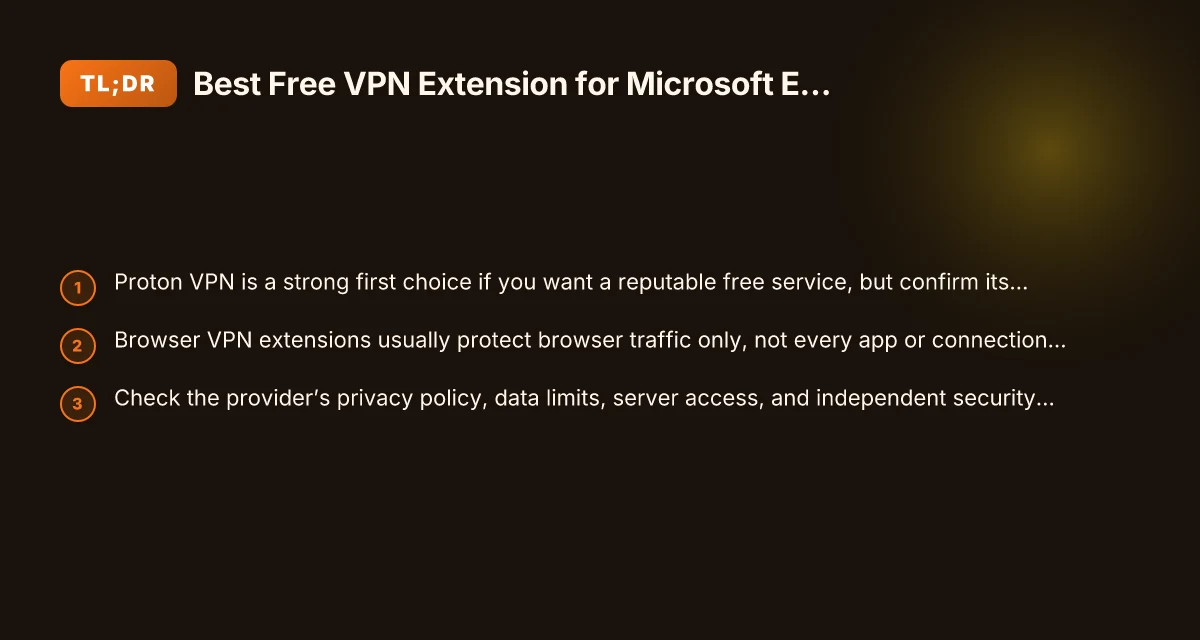
If you’re looking for the best free VPN extension for Microsoft Edge, start with Proton VPN if its current Edge extension supports the features you need. It has a strong privacy reputation and a free plan, but availability, features, and limits can change. If a dedicated Edge extension is unavailable or unsuitable, use the provider’s official VPN app instead. Avoid choosing an extension just because it is free: its privacy practices matter more than a large server list or a one-click interface.

Editor's pick: NordVPN — fast, secure VPN — Strong encryption, a no-logs policy and apps for every device. 30-day money-back guarantee. Get NordVPN →
Comparing free VPN extensions for Microsoft Edge
| VPN extension | Free data | Server choice | Account required | Best for | Main limitation |
|---|---|---|---|---|---|
| Proton VPN | Check current plan | Check current plan | Check current plan | Privacy-focused browsing | Free features may be limited |
| Windscribe | Check current plan | Check current plan | Check current plan | Flexible settings | Free data may be capped |
| TunnelBear | Check current plan | Check current plan | Check current plan | Simple setup | Free data may be capped |
| Browsec | Check current plan | Check current plan | Check current plan | Quick browser switching | Free features may be limited |
| SetupVPN | Check current plan | Check current plan | Check current plan | Basic browser use | Review privacy terms |
| VPN proxy extension | Varies by provider | Varies by provider | Varies by provider | Lightweight browsing | Quality varies widely |
Compiled November 2026; check the provider's site for current details.
| VPN | Obfuscation | From / month | Plan | Free plan | Refund | Alipay | UnionPay | Crypto | Website opens in China | Trustpilot | |
|---|---|---|---|---|---|---|---|---|---|---|---|
 Proton VPN | Turn on manually Stealth, free plan too | $2.99/mo | 12 months: $35.88 | Yes | 30 days | ✗ | ✗ | ✗ | ✓ | ✗ Blocked | 2.1/5 (1,040 reviews) |
 Windscribe | Turn on manually Stealth / WStunnel | $5.75/mo | 12 months: $69 | Yes | See site | ✗ | ✗ | ✗ | ✓ | ✗ Blocked | 4.7/5 (13,355 reviews) |
 ZoogVPN | Turn on manually Shadow | $2.49/mo | 27 months: $59.99 | Yes | 7 days | ✓ | ✓ | ✓ | ✓ | Official site blocked; our special link opens (4.4 s) | 4.2/5 (195 reviews) |
 NordVPN | Turn on manually Obfuscated Servers / NordWhisper | $3.49/mo | 27 months: $94.23 | No | 30 days | ? | ✗ | ✓ | ✓ | ✗ Blocked | 4.2/5 (51,628 reviews) |
 ExpressVPN | ✓ On by default all servers | $3.00/mo | 28 months: $84 | No | 30 days | ✗ | ✗ | ✓ | ✗ | ✗ Blocked | 4.4/5 (29,706 reviews) |
 Surfshark | ✓ On by default Camouflage, with OpenVPN | See site | See site | No | 30 days | ✗ | ✗ | ✗ | ✓ | ✗ Blocked | 4.3/5 (31,823 reviews) |
 Astrill VPN | Turn on manually StealthVPN / OpenWeb | $12.50/mo | 24 months: $300 | No | See site | ✗ | ✗ | ✗ | ✓ | ✗ Blocked | 1.3/5 (110 reviews) |
 Private Internet Access | Turn on manually Shadowsocks, OpenVPN only | $2.03/mo | 40 months: $81.2 | No | 30 days | ✗ | ✗ | ✗ | ✗ | ✗ Blocked | 4.2/5 (11,033 reviews) |
 CyberGhost | Turn on manually selected servers | $2.19/mo | 28 months: $61.32 | No | 45 days | ✗ | ✗ | ✗ | ✓ | ✗ Blocked | 4.0/5 (24,178 reviews) |
 PureVPN | Turn on manually switch to OpenVPN | $1.69/mo | 60 months: $101.55 | No | 31 days | ? | ? | ✗ | ✓ | ✗ Blocked | 4.4/5 (17,994 reviews) |
 AdGuard VPN | ✓ On by default TrustTunnel | $2.99/mo | 24 months: $71.76 | Yes | 30 days | ✓ | ✗ | ✓ | ✓ | Official site blocked; our special link opens (3.7 s) | 4.3/5 (290 reviews) |
 Mullvad | Turn on manually QUIC / Shadowsocks / LWO | $5.61/mo | €5/mo | No | 14 days | ✗ | ✗ | ✗ | ✓ | ✗ Blocked | 3.2/5 (192 reviews) |
 StrongVPN | Turn on manually Scramble, OpenVPN TCP | See site | See site | No | 30 days | ✓ | ✗ | ✗ | ✗ | ✗ Blocked | 4.4/5 (2,695 reviews) |
 LightXtreme 闪连 | Not listed | $7.08/mo | 12 months: $84.99 | Yes | 30 days | ✓ | ✓ | ✓ | ✓ | ✓ Yes (3.5 s) | No page |
Prices checked 2026-11-10 on each vendor's pricing page (cheapest long plan, USD). Check the vendor's checkout for the final price.
Obfuscation checked 2026-11-14 on each vendor's site and help center: "on by default" = nothing to set; "turn on manually" = switch protocol or mode in settings; "not listed" = the vendor describes no obfuscation.
Payment methods checked 2026-11-10 on each vendor's payment pages: all 14 take cards and PayPal; ✗ = not listed, ? = the vendor's own pages disagree.
China access: whether the official website opens from mainland China networks (tests the website only, not the VPN connection). Last checked 2026-11-18 01:02 Beijing time.
Trustpilot score and review count checked 2026-11-10.
Best free VPN extension for Microsoft Edge
A VPN extension routes some or all of your browser traffic through a VPN provider’s servers. It can help protect browsing on public Wi-Fi and make websites see the VPN server’s IP address rather than your usual one. It does not automatically make you anonymous, and it cannot prevent tracking through cookies, account logins, or browser fingerprinting.
Proton VPN is a sensible starting point because the company publishes privacy and security information and offers a free VPN plan. However, do not assume every feature of its desktop or mobile app is included in a browser extension. Check the Microsoft Edge Add-ons store and Proton VPN’s official site for current extension availability, supported platforms, and free-plan restrictions before installing.
If you want protection beyond browser traffic, choose a VPN app for Windows rather than an extension. A desktop app can cover more of the device’s network traffic, depending on its settings. An extension is generally more convenient for browser-only use, but its scope is narrower.
Free VPN extensions to compare
The table below gives you a practical way to evaluate common options. Availability and free-plan terms can change, so verify each detail with the provider before signing up. VPN Free for Edge Extension: What to Choose and How to Use It
| Option | What to check | Best suited to |
|---|---|---|
| Proton VPN | Whether its current Edge offering includes the features you want; free-plan server and speed limits | Privacy-conscious users who want a reputable provider |
| Windscribe | Monthly data allowance, server access, and account requirements | Light browsing within a defined data limit |
| TunnelBear | Free data allowance and whether it is enough for regular use | Occasional, short browsing sessions |
| A VPN provider’s Windows app | Whether the free plan covers your device and supports the locations you need | Users who want broader device traffic protection |
This is not a guarantee that every provider currently offers a dedicated Edge extension or the same free features. Some services provide browser extensions only with a paid subscription, while others may offer a browser proxy rather than full VPN protection. Read the product description carefully.
What an Edge VPN extension covers
| Activity or traffic | Usually protected by extension? | What to check |
|---|---|---|
| Traffic in the browser | Yes, when connected | Confirm the extension is active |
| Traffic in other apps | No | Use a device VPN app |
| Public Wi-Fi browsing | Supported, with limits | Test the connection before use |
| IP address shown to websites | Usually changed | Check for IP leaks |
| DNS requests | Depends on the extension | Test for DNS leaks |
| Browser location settings | Not necessarily | Review site permissions |
| WebRTC connections | Depends on settings | Check for WebRTC leaks |
| Connection if VPN drops | Depends on the extension | Look for a kill switch |
Compiled November 2026; check the provider's site for current details.
What a browser VPN extension does, and does not do
A VPN extension can be useful when you want to change the apparent location of browser traffic or add a layer of protection while using an untrusted network. The exact protection depends on how the extension works and what traffic it routes. Hkmc rndvpn hyundai net: Access, Troubleshooting, and Safety
In particular, distinguish between a VPN extension and a proxy extension. Both can route browser requests through another server, but a proxy may not provide the same encryption or device-wide protection as a full VPN. Check the provider’s documentation instead of relying on the word “VPN” in an extension’s name.
An extension generally does not protect traffic from other apps, such as email clients, games, or background services. It also cannot stop a website from identifying you if you sign in to a personal account. For broader coverage, use the provider’s official desktop app and check that its VPN connection is active.
How to choose a safe free option
Before installing any extension, review these points:
- Publisher: Install only from the official Microsoft Edge Add-ons store, and confirm the publisher matches the VPN provider’s official website.
- Privacy policy: Look for clear explanations of what data is collected, how it is used, and whether browsing activity is logged.
- Free-plan limits: Check data caps, connection speeds, available locations, and whether an account or payment details are required.
- Security information: Look for details about encryption, leak protection, and independent audits or security assessments. Treat vague claims as a reason to investigate further.
- Permissions: Be cautious if an extension requests permissions that seem unrelated to its function.
- Updates and support: Recent updates and accessible support can help indicate that the product is maintained.
Be wary of extensions promising unlimited high-speed access to dozens of countries without explaining how the service is funded. A free VPN still has operating costs. If its business model and privacy practices are unclear, choose another provider. IPVanish Login: How to Sign In and Fix Common Problems
Choosing and testing a free Edge VPN extension
| Decision point | What to look for | How to test |
|---|---|---|
| Official availability | Listed in Microsoft Edge Add-ons | Install from the official store |
| Privacy practices | Clear privacy policy | Check what data is collected |
| Free-plan limits | Stated data and server limits | Review the plan before connecting |
| Permissions | Only permissions needed for its features | Read the install prompt |
| Connection status | Clear connected or disconnected state | Connect, then reload a page |
| IP and DNS privacy | Leak protection or clear guidance | Run IP and DNS leak checks |
| Speed and stability | No unexplained interruptions | Browse several sites |
| Removal and renewal | Easy to disable or uninstall | Disconnect and remove if unsuitable |
Compiled November 2026; check the provider's site for current details.
How to install and test an Edge VPN extension
Open the Microsoft Edge Add-ons store, search for the provider by name, and check the publisher before selecting Get. Review the permissions, install the extension, and sign in or create an account only through the provider’s official flow.
Once connected, visit a reputable IP-checking website and confirm that the displayed location changes as expected. Disconnect the extension and compare the result. Remember that an IP check is only a basic test. It does not prove that every browser request is protected or that the provider does not retain activity data. Free VPN: What to Know Before You Choose One
If the extension behaves unexpectedly, disconnect it and consult the provider’s support information. Do not install multiple VPN extensions at once: they may conflict, and running several does not guarantee stronger privacy.
Recommendation
For a free starting point, consider Proton VPN if its current Edge extension or official Windows app meets your needs and its free-plan terms work for you. For occasional browsing, compare Windscribe or TunnelBear’s current free allowances as well. Choose based on transparent privacy practices and suitable coverage, not just the word “free”, and use a desktop VPN app when you need protection beyond Microsoft Edge.