Cisco IPsec: How It Works and How to Choose the Right VPN

Learn how Cisco IPsec VPNs protect network traffic, compare remote-access and site-to-site options, and plan a secure deployment.


Cisco IPsec is a set of technologies used to create encrypted VPN connections across untrusted networks. It protects IP traffic between network devices or between a remote user and an organization’s network. Cisco platforms can use IPsec for site-to-site links and remote access, with configuration options depending on the device, software, and VPN client.
Organizations use Cisco IPsec to connect offices, protect traffic from remote workers, and securely link cloud or data-center networks. A successful deployment requires more than turning on encryption: peers must agree on security settings, routes must direct the right traffic through the tunnel, and access policies must limit what connected users can reach.
| VPN | Obfuscation | From / month | Plan | Free plan | Refund | Alipay | UnionPay | Crypto | Website opens in China | Trustpilot | |
|---|---|---|---|---|---|---|---|---|---|---|---|
 ZoogVPN | Turn on manually Shadow | $2.49/mo | 27 months: $59.99 | Yes | 7 days | ✓ | ✓ | ✓ | ✓ | Official site blocked; our special link opens (4.4 s) | 4.2/5 (195 reviews) |
 NordVPN | Turn on manually Obfuscated Servers / NordWhisper | $3.49/mo | 27 months: $94.23 | No | 30 days | ? | ✗ | ✓ | ✓ | ✗ Blocked | 4.2/5 (51,628 reviews) |
 ExpressVPN | ✓ On by default all servers | $3.00/mo | 28 months: $84 | No | 30 days | ✗ | ✗ | ✓ | ✗ | ✗ Blocked | 4.4/5 (29,706 reviews) |
 Surfshark | ✓ On by default Camouflage, with OpenVPN | See site | See site | No | 30 days | ✗ | ✗ | ✗ | ✓ | ✗ Blocked | 4.3/5 (31,823 reviews) |
 Proton VPN | Turn on manually Stealth, free plan too | $2.99/mo | 12 months: $35.88 | Yes | 30 days | ✗ | ✗ | ✗ | ✓ | ✗ Blocked | 2.1/5 (1,040 reviews) |
 Astrill VPN | Turn on manually StealthVPN / OpenWeb | $12.50/mo | 24 months: $300 | No | See site | ✗ | ✗ | ✗ | ✓ | ✗ Blocked | 1.3/5 (110 reviews) |
 Private Internet Access | Turn on manually Shadowsocks, OpenVPN only | $2.03/mo | 40 months: $81.2 | No | 30 days | ✗ | ✗ | ✗ | ✗ | ✗ Blocked | 4.2/5 (11,033 reviews) |
 CyberGhost | Turn on manually selected servers | $2.19/mo | 28 months: $61.32 | No | 45 days | ✗ | ✗ | ✗ | ✓ | ✗ Blocked | 4.0/5 (24,178 reviews) |
 PureVPN | Turn on manually switch to OpenVPN | $1.69/mo | 60 months: $101.55 | No | 31 days | ? | ? | ✗ | ✓ | ✗ Blocked | 4.4/5 (17,994 reviews) |
 AdGuard VPN | ✓ On by default TrustTunnel | $2.99/mo | 24 months: $71.76 | Yes | 30 days | ✓ | ✗ | ✓ | ✓ | Official site blocked; our special link opens (3.7 s) | 4.3/5 (290 reviews) |
 Mullvad | Turn on manually QUIC / Shadowsocks / LWO | $5.61/mo | €5/mo | No | 14 days | ✗ | ✗ | ✗ | ✓ | ✗ Blocked | 3.2/5 (192 reviews) |
 Windscribe | Turn on manually Stealth / WStunnel | $5.75/mo | 12 months: $69 | Yes | See site | ✗ | ✗ | ✗ | ✓ | ✗ Blocked | 4.7/5 (13,355 reviews) |
 StrongVPN | Turn on manually Scramble, OpenVPN TCP | See site | See site | No | 30 days | ✓ | ✗ | ✗ | ✗ | ✗ Blocked | 4.4/5 (2,695 reviews) |
 LightXtreme 闪连 | Not listed | $7.08/mo | 12 months: $84.99 | Yes | 30 days | ✓ | ✓ | ✓ | ✓ | ✓ Yes (3.5 s) | No page |
Prices checked 2026-11-10 on each vendor's pricing page (cheapest long plan, USD). Check the vendor's checkout for the final price.
Obfuscation checked 2026-11-14 on each vendor's site and help center: "on by default" = nothing to set; "turn on manually" = switch protocol or mode in settings; "not listed" = the vendor describes no obfuscation.
Payment methods checked 2026-11-10 on each vendor's payment pages: all 14 take cards and PayPal; ✗ = not listed, ? = the vendor's own pages disagree.
China access: whether the official website opens from mainland China networks (tests the website only, not the VPN connection). Last checked 2026-11-18 01:02 Beijing time.
Trustpilot score and review count checked 2026-11-10.

Editor's pick: NordVPN — fast, secure VPN — Strong encryption, a no-logs policy and apps for every device. 30-day money-back guarantee. Get NordVPN →
Compare common Cisco IPsec VPN types
| VPN type | Typical use | Endpoints | Main advantage | Planning consideration |
|---|---|---|---|---|
| Site-to-site | Connect office networks | Cisco gateways | Network-to-network access | Match settings at both ends |
| Remote access | Connect individual users | User device and gateway | Access from outside the office | Choose a compatible client |
| Policy-based | Protect selected traffic | Cisco gateways | Rules define protected traffic | Keep policies consistent |
| Route-based | Protect traffic through a tunnel interface | Cisco gateways | Works with routing decisions | Plan routes and tunnel interfaces |
| Hub-and-spoke | Connect branch sites to a central site | Hub and branch gateways | Centralized connectivity | Account for hub capacity |
| Direct peer | Connect two locations | Two gateways | Simple point-to-point design | Configure both peers |
| Redundant peer | Maintain alternate connectivity | Gateways with backup paths | Supports failover | Verify backup behavior |
Compiled November 2026; check the provider's site for current details.
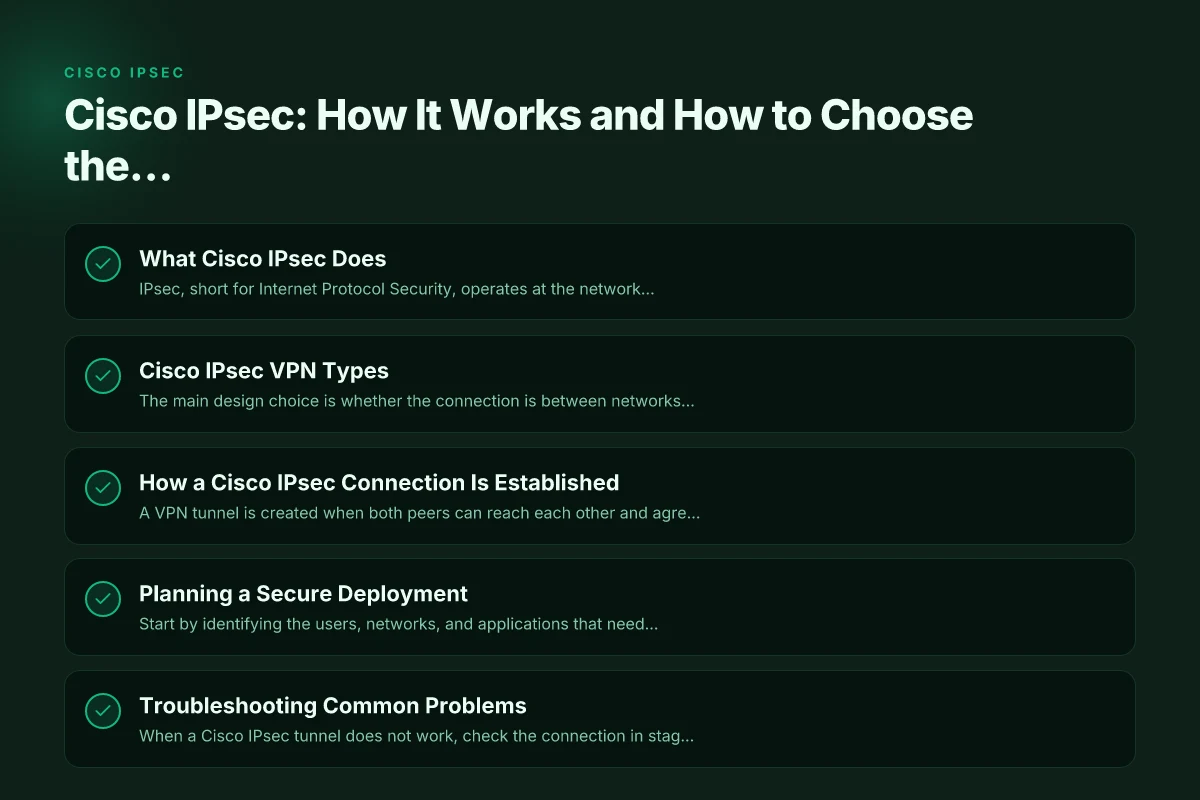
What Cisco IPsec Does
IPsec, short for Internet Protocol Security, operates at the network layer. It can protect IP packets by encrypting their contents, checking their integrity, and verifying that they came from an authenticated peer. This allows applications to use the VPN without needing their own encryption configuration.
Cisco IPsec deployments commonly use two related protocols:
- IKE (Internet Key Exchange) authenticates VPN peers and negotiates the keys and security parameters used by the connection.
- ESP (Encapsulating Security Payload) carries protected traffic, providing encryption and, when configured, integrity and authentication.
In many modern deployments, IKEv2 is preferred over the older IKEv1 because it offers a more streamlined negotiation process and supports features suited to current VPN environments. Availability and exact configuration depend on the Cisco product and software release.
IPsec can run in tunnel mode, where it protects an entire IP packet inside a new packet. Tunnel mode is commonly used for VPNs connecting networks or remote users. Transport mode protects the payload of an IP packet and is used in more specialized scenarios. NordVPN Extension for Edge: How to Install and Use It
Cisco IPsec VPN Types
The main design choice is whether the connection is between networks or between individual users and a network.
Site-to-site VPN
A site-to-site VPN connects two or more networks through VPN gateways, such as Cisco routers or firewalls. For example, a company may use one tunnel to link its headquarters with a branch office. Devices on each network can communicate through the tunnel according to the configured routes and security policies.
This option is useful when:
- Offices or data centers need regular, network-to-network connectivity.
- VPN gateways can be managed at both ends.
- Traffic should flow automatically without individual users starting a client.
Remote-access VPN
A remote-access VPN connects an individual device to an organization’s network. The user typically starts a supported VPN client and authenticates before gaining access. Administrators can apply identity-based rules, multifactor authentication, and restrictions on which internal resources the user may reach. VPN SSL BWG Online Service: How It Works and What to Check
Remote access suits employees, contractors, or administrators who need secure connectivity from outside the organization. The client, authentication method, and supported IPsec features vary by Cisco platform and product generation.
| Consideration | Site-to-site IPsec | Remote-access IPsec |
|---|---|---|
| Connection endpoints | VPN gateways | User device and VPN gateway |
| Typical purpose | Link offices or networks | Connect off-site users |
| User sign-in | Usually gateway-to-gateway authentication | Individual user authentication is common |
| Access control | Network and subnet policies | User, group, device, and network policies |
| Common planning need | Routes and overlapping address spaces | Client support and identity integration |
Compare IPsec connection-establishment stages
| Stage | What happens | Main purpose | What to check | Common issue |
|---|---|---|---|---|
| Peer discovery | Devices identify the remote peer | Find the intended gateway | Peer address and reachability | Incorrect peer address |
| IKE negotiation | Peers agree on IKE settings | Establish secure control channel | Compatible proposals | Proposal mismatch |
| Peer authentication | Each side verifies the other | Confirm trusted identity | Credentials and identity settings | Authentication failure |
| IPsec negotiation | Peers agree on traffic protection | Create IPsec security associations | Matching transforms and lifetimes | Transform mismatch |
| Traffic selection | Policies identify protected traffic | Decide what enters the tunnel | Matching traffic selectors | Selector mismatch |
| Tunnel establishment | Devices activate the protected path | Carry encrypted traffic | Security association status | Tunnel remains down |
| Data transfer | Packets are encrypted and forwarded | Protect communication | Routes, policies, counters | Traffic does not pass |
Compiled November 2026; check the provider's site for current details.
How a Cisco IPsec Connection Is Established
A VPN tunnel is created when both peers can reach each other and agree on compatible settings. In a typical IKE-based connection, the process includes: VPN Extension for Microsoft Edge: How to Choose and Use One
- Peer discovery and negotiation: The devices contact one another and propose supported IKE settings.
- Authentication: Each peer proves its identity. Common methods include certificates or a pre-shared key. Remote-access deployments may also use user credentials and additional authentication factors.
- Security association creation: The peers agree on parameters, including encryption and integrity algorithms, and derive session keys.
- Traffic selection: Policies determine which traffic should be protected by the tunnel.
- Protected data exchange: ESP encrypts and protects matching traffic as it passes between the peers.
Both ends need compatible settings. A mismatch in authentication, encryption, integrity, key exchange, or traffic selectors can prevent the tunnel from forming or cause it to fail when traffic starts.
Planning a Secure Deployment
Start by identifying the users, networks, and applications that need access. Then select the VPN type and decide how traffic will be routed. For site-to-site tunnels, verify that the protected networks do not overlap in a way that creates ambiguous routing. For remote access, define which groups can connect and which internal services they need.
Security settings deserve particular care:
- Use current, strong algorithms supported by both peers. Avoid deprecated options.
- Prefer certificate-based authentication for managed gateway relationships where practical.
- Protect pre-shared keys and rotate them when exposure or personnel changes warrant it.
- Require multifactor authentication for remote users when supported.
- Limit access to necessary networks and services rather than granting broad internal reach.
- Keep device software and VPN clients supported and updated.
- Log authentication events, tunnel status, and policy changes, and review them regularly.
Also account for operational details such as firewall rules, NAT traversal, DNS, address assignment, and failover. IPsec commonly uses IKE over UDP port 500 and may use UDP port 4500 for NAT traversal. Firewall requirements can vary by platform and design, so confirm them against the relevant Cisco documentation. Free VPN for Edge Extension: How to Choose One Safely
Troubleshooting Common Problems
When a Cisco IPsec tunnel does not work, check the connection in stages rather than changing many settings at once.
- No tunnel forms: Confirm peer addresses, reachability, firewall rules, and matching IKE proposals.
- Authentication fails: Check certificate validity and trust, or verify that both peers use the same pre-shared key.
- Tunnel forms but traffic fails: Review routes, access lists, traffic selectors, NAT rules, and return paths.
- Only some applications work: Check DNS, allowed ports, MTU, and whether policies include all required traffic.
- Connection drops or performs poorly: Review device health, packet loss, rekey settings, keepalives, and bandwidth constraints.
Use platform-specific diagnostic commands and logs to inspect IKE negotiation, security associations, and packet counters. Exact commands differ across Cisco products and software releases, so use the documentation for the device being managed. Make changes in a controlled way and preserve a known-good configuration for rollback.
Choose deployment and troubleshooting checks
| Decision or symptom | Check first | Likely cause | Practical action | Goal |
|---|---|---|---|---|
| Selecting VPN type | Users and network layout | Design does not fit access needs | Choose site-to-site or remote access | Fit the connection to its use |
| Tunnel will not establish | IKE proposals and peer settings | Mismatched configuration | Compare settings on both peers | Establish negotiation |
| Authentication fails | Credentials and peer identity | Incorrect or inconsistent identity | Verify authentication configuration | Confirm both peers |
| Tunnel is up but traffic fails | Routes and traffic selectors | Traffic is not sent into the tunnel | Check routing and matching policies | Pass intended traffic |
| Intermittent connectivity | Security association and path stability | Unstable network or changing state | Review logs and tunnel status | Find recurring interruptions |
| One-way traffic | Policies and return routing | Asymmetric configuration | Check both directions on both peers | Restore two-way communication |
| Security review is pending | Algorithms and access rules | Settings do not meet requirements | Apply approved policy and restrict access | Maintain secure operation |
Compiled November 2026; check the provider's site for current details. Free VPN Edge Extension: How to Choose One for Microsoft Edge
Recommendation
Choose Cisco IPsec when you need standards-based, encrypted connectivity between compatible Cisco devices or supported remote-access clients. Use site-to-site VPNs for managed network links and remote access for individual users, then keep permissions narrow and cryptographic settings current. Before deployment, verify interoperability, client support, routing, and firewall requirements for the exact Cisco platforms involved.