Vuze VPN Extension for Edge: What It Is and How to Choose a Safe Alternative
Learn whether a Vuze VPN extension exists for Edge, what to use instead, and how to protect Vuze traffic.


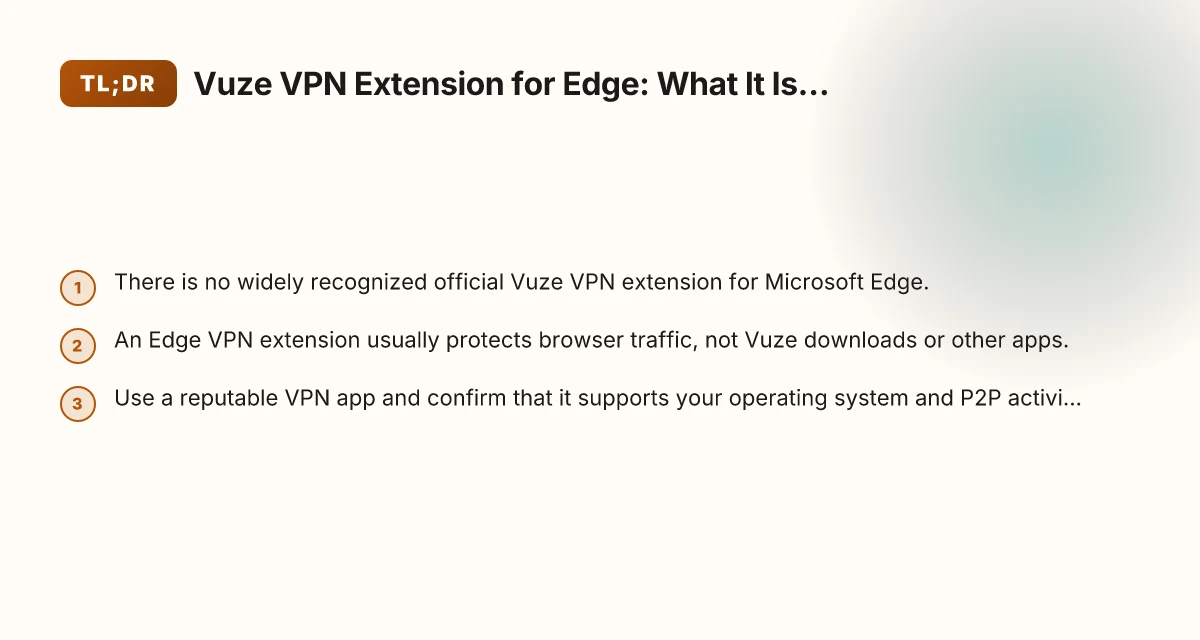
If you’re looking for a Vuze VPN extension for Edge, there is no widely recognized official extension from Vuze that provides VPN protection. Vuze is a BitTorrent client, while Edge extensions generally work inside the browser. To protect Vuze traffic, use a reputable VPN application for your device and check that it supports peer-to-peer (P2P) traffic. An Edge extension alone usually will not route Vuze downloads through the VPN.

Editor's pick: NordVPN — fast, secure VPN — Strong encryption, a no-logs policy and apps for every device. 30-day money-back guarantee. Get NordVPN →
VPN app vs. Edge extension for Vuze
| Comparison point | VPN app | Edge extension |
|---|---|---|
| Where it runs | On the device | In the Edge browser |
| Protects Edge traffic | Yes | Yes |
| Protects Vuze traffic | Can, if configured | Usually no |
| Covers other apps | Can, if configured | No |
| Needs Vuze-specific setup | May need routing or firewall settings | Does not route Vuze |
| Best fit | Device or app traffic protection | Browser-only protection |
| Main check | Confirm Vuze uses the VPN connection | Confirm the extension covers the sites you use |
| Limitation | Coverage depends on settings | Limited to browser traffic |
Compiled November 2026; check the provider's site for current details.
| VPN | Obfuscation | From / month | Plan | Free plan | Refund | Alipay | UnionPay | Crypto | Website opens in China | Trustpilot | |
|---|---|---|---|---|---|---|---|---|---|---|---|
 ZoogVPN | Turn on manually Shadow | $2.49/mo | 27 months: $59.99 | Yes | 7 days | ✓ | ✓ | ✓ | ✓ | Official site blocked; our special link opens (4.4 s) | 4.2/5 (195 reviews) |
 NordVPN | Turn on manually Obfuscated Servers / NordWhisper | $3.49/mo | 27 months: $94.23 | No | 30 days | ? | ✗ | ✓ | ✓ | ✗ Blocked | 4.2/5 (51,628 reviews) |
 ExpressVPN | ✓ On by default all servers | $3.00/mo | 28 months: $84 | No | 30 days | ✗ | ✗ | ✓ | ✗ | ✗ Blocked | 4.4/5 (29,706 reviews) |
 Surfshark | ✓ On by default Camouflage, with OpenVPN | See site | See site | No | 30 days | ✗ | ✗ | ✗ | ✓ | ✗ Blocked | 4.3/5 (31,823 reviews) |
 Proton VPN | Turn on manually Stealth, free plan too | $2.99/mo | 12 months: $35.88 | Yes | 30 days | ✗ | ✗ | ✗ | ✓ | ✗ Blocked | 2.1/5 (1,040 reviews) |
 Astrill VPN | Turn on manually StealthVPN / OpenWeb | $12.50/mo | 24 months: $300 | No | See site | ✗ | ✗ | ✗ | ✓ | ✗ Blocked | 1.3/5 (110 reviews) |
 Private Internet Access | Turn on manually Shadowsocks, OpenVPN only | $2.03/mo | 40 months: $81.2 | No | 30 days | ✗ | ✗ | ✗ | ✗ | ✗ Blocked | 4.2/5 (11,033 reviews) |
 CyberGhost | Turn on manually selected servers | $2.19/mo | 28 months: $61.32 | No | 45 days | ✗ | ✗ | ✗ | ✓ | ✗ Blocked | 4.0/5 (24,178 reviews) |
 PureVPN | Turn on manually switch to OpenVPN | $1.69/mo | 60 months: $101.55 | No | 31 days | ? | ? | ✗ | ✓ | ✗ Blocked | 4.4/5 (17,994 reviews) |
 AdGuard VPN | ✓ On by default TrustTunnel | $2.99/mo | 24 months: $71.76 | Yes | 30 days | ✓ | ✗ | ✓ | ✓ | Official site blocked; our special link opens (3.7 s) | 4.3/5 (290 reviews) |
 Mullvad | Turn on manually QUIC / Shadowsocks / LWO | $5.61/mo | €5/mo | No | 14 days | ✗ | ✗ | ✗ | ✓ | ✗ Blocked | 3.2/5 (192 reviews) |
 Windscribe | Turn on manually Stealth / WStunnel | $5.75/mo | 12 months: $69 | Yes | See site | ✗ | ✗ | ✗ | ✓ | ✗ Blocked | 4.7/5 (13,355 reviews) |
 StrongVPN | Turn on manually Scramble, OpenVPN TCP | See site | See site | No | 30 days | ✓ | ✗ | ✗ | ✗ | ✗ Blocked | 4.4/5 (2,695 reviews) |
 LightXtreme 闪连 | Not listed | $7.08/mo | 12 months: $84.99 | Yes | 30 days | ✓ | ✓ | ✓ | ✓ | ✓ Yes (3.5 s) | No page |
Prices checked 2026-11-10 on each vendor's pricing page (cheapest long plan, USD). Check the vendor's checkout for the final price.
Obfuscation checked 2026-11-14 on each vendor's site and help center: "on by default" = nothing to set; "turn on manually" = switch protocol or mode in settings; "not listed" = the vendor describes no obfuscation.
Payment methods checked 2026-11-10 on each vendor's payment pages: all 14 take cards and PayPal; ✗ = not listed, ? = the vendor's own pages disagree.
China access: whether the official website opens from mainland China networks (tests the website only, not the VPN connection). Last checked 2026-11-18 01:02 Beijing time.
Trustpilot score and review count checked 2026-11-10.
What “Vuze VPN extension for Edge” means
The search phrase can refer to two different things: a browser extension you can use while browsing for Vuze, or a VPN that protects Vuze’s torrent traffic. Those are not the same.
A browser VPN extension typically routes traffic from Edge through a provider’s servers. Depending on how it is built, it may be a proxy rather than a full VPN. It generally does not cover separate programs such as Vuze, which makes its protection unsuitable for torrenting by itself.
A VPN application runs at the device or operating-system level. When configured correctly, it can route traffic from multiple apps, including Vuze. Coverage varies by provider, device, and settings, so confirm what the service actually protects before downloading.
Is there an official Vuze VPN extension?
Vuze is known as a BitTorrent client, not as a VPN service or Edge extension publisher. Treat any extension claiming to be an official “Vuze VPN” cautiously unless you can verify the publisher and find clear confirmation through trusted official channels. VPN for Edge Free: Safe Options and What to Know
Before installing an extension, check:
- The publisher’s identity and whether it has a credible website.
- The permissions it requests, especially access to browsing data.
- Recent reviews, update history, and privacy information.
- Whether the extension is listed in the official Microsoft Edge Add-ons store.
- What the provider says it does: browser proxy, device-wide VPN, or something else.
Do not assume an extension is safe because its name includes “Vuze” or “VPN.” A misleading name does not demonstrate that the product is affiliated with Vuze or that it protects torrent traffic.
Why an Edge extension may not protect Vuze
Edge extensions are designed to interact with browser activity. Vuze is a separate application, so its connections do not normally pass through an Edge extension.
This distinction matters because a browser extension may protect searches and website visits in Edge while leaving Vuze’s peer connections outside the tunnel. The result can be a false sense of security: the browser appears protected, but the torrent client may use your regular internet connection. Free VPN Edge: What Works, What to Avoid, and How to Choose
There can also be limitations within the browser itself. Some extensions only change a browser’s proxy settings, and their protection may not cover every connection or DNS request. Read the provider’s documentation rather than relying on the word “VPN” in an extension’s title.
Checks for choosing a safer VPN for Vuze
| Check | What to look for | Why it matters | Warning sign |
|---|---|---|---|
| Official availability | Verify the provider’s site and app store listings | Helps avoid impersonators | Unverified download links |
| Vuze traffic coverage | Clear support for app-level or device-level routing | An Edge extension alone may not cover Vuze | Browser-only claims |
| Kill switch | A feature that blocks traffic if the VPN disconnects | Helps reduce exposure during interruptions | No clear explanation of its behavior |
| Privacy policy | Plain-language data collection and retention details | Shows what information may be kept | Vague or missing policy |
| App permissions | Permissions that fit the app’s stated purpose | Helps spot unnecessary access | Unexplained permissions |
| Support and updates | Active support and maintained apps | Helps with setup and security issues | Abandoned listings |
| Setup guidance | Instructions for routing or checking Vuze traffic | Reduces configuration mistakes | No relevant documentation |
Compiled November 2026; check the provider's site for current details.
How to protect Vuze with a VPN
For Vuze, choose a full VPN application from a provider with a clear privacy policy and explicit support for P2P traffic. Install the provider’s app on your computer, connect to an appropriate server, and then check that Vuze is using the protected connection. What Is a Proxy vs VPN? Key Differences and Which to Choose
Consider these features:
- P2P policy: The provider should explain whether torrenting is permitted and whether it is limited to certain servers.
- Kill switch: This feature can block internet access if the VPN connection drops. Check that it applies to the relevant device and traffic.
- Leak protection: Look for protection against DNS and IP address leaks, and verify it works on your operating system.
- Privacy and logging: Review the provider’s policy and any independent audits or other credible evidence supporting its claims.
- Compatibility: Confirm support for your version of Windows, macOS, or Linux and for the Vuze version you use.
- Performance: Download speeds depend on your connection, server load, distance, and VPN protocol. No provider can guarantee a particular speed.
After connecting, use the VPN provider’s own guidance to test your public IP and check for DNS leaks. If your VPN app offers application-specific controls, make sure Vuze is included. A kill switch is useful, but it is not a substitute for confirming that traffic is routed as intended.
VPN app vs. Edge extension
| Option | Usually protects | Suitable for Vuze traffic? | Main point to check |
|---|---|---|---|
| Edge VPN extension | Browser traffic in Edge | Usually no | Whether it is a proxy or full VPN |
| VPN application | Potentially traffic from multiple device apps | Yes, if configured correctly | P2P policy, kill switch, and leak protection |
| No VPN | Traffic follows the regular internet connection | No VPN protection | Your network and provider may see connection details |
A browser extension can still be useful for browser privacy, depending on the service and its design. It should not be treated as a replacement for a device-level VPN when your goal is to protect Vuze connections.
Safe setup and responsible use
Install VPN software only from the provider’s official website or a trusted app store. Avoid unofficial downloads, modified clients, and extensions that ask for broad permissions without a clear reason. Keep Vuze, Edge, and your operating system updated. Edge Extensions VPN: How to Choose and Use One Safely
A VPN does not make every online activity anonymous or lawful. It does not prevent malware in downloaded files, remove unsafe content, or change copyright rules. Use Vuze only for content you are legally entitled to access, and follow the laws and network policies that apply to you.
Safe setup and verification checklist
| Step | What to do | What to confirm | Avoid |
|---|---|---|---|
| 1. Verify the provider | Use its official website or trusted app store | The app and publisher match | Third-party installers |
| 2. Install the VPN app | Set it up on the device running Vuze | The app is genuine and updated | Assuming an Edge extension covers Vuze |
| 3. Review settings | Check routing and kill-switch options | Vuze traffic is included as intended | Guessing which apps are protected |
| 4. Connect before Vuze | Establish the VPN connection first | The connection is active | Starting Vuze while disconnected |
| 5. Check coverage | Use the provider’s guidance or support | Vuze traffic follows the intended route | Treating a browser check as proof for Vuze |
| 6. Test interruption behavior | Follow the provider’s safe test instructions | Traffic is blocked if the kill switch is enabled | Testing with sensitive activity |
| 7. Follow applicable rules | Check local law and service terms | Your use is permitted | Assuming VPN use makes all activity lawful |
Compiled November 2026; check the provider's site for current details.
Recommendation
There is no widely recognized official Vuze VPN extension for Edge, and an Edge extension usually will not protect Vuze’s traffic. For Vuze, choose a reputable, full VPN application that allows P2P traffic, enable its kill switch and leak protection, and verify that Vuze uses the VPN connection. Use an Edge extension only for browser-specific protection, not as the sole safeguard for torrenting. Urban VPN Microsoft Edge: How to Install and Use It