What Is a Proxy vs VPN? Key Differences and Which to Choose
Learn how proxies and VPNs differ in privacy, encryption, speed, and use cases so you can choose the right option.


A proxy routes traffic through an intermediary server, while a VPN (virtual private network) creates an encrypted tunnel between your device and a VPN server. Both can make websites see the server’s IP address instead of yours, but they differ in how much traffic they handle and whether they encrypt it. In short, a proxy is usually a narrower routing tool. A VPN is generally a more comprehensive privacy and security tool.

Editor's pick: NordVPN — fast, secure VPN — Strong encryption, a no-logs policy and apps for every device. 30-day money-back guarantee. Get NordVPN →
How proxies and VPNs differ
| Feature | Proxy | VPN |
|---|---|---|
| What it routes | Selected app or browser traffic | Device traffic, depending on setup |
| Changes visible IP | Yes | Yes |
| Encrypts traffic | Usually no | Typically yes |
| Covers multiple apps | Usually no | Usually yes |
| Setup | Often app-specific | Usually device- or app-level |
| Common use | Accessing region-specific content | Privacy on public Wi-Fi |
| Main limitation | Limited privacy protection | May reduce connection speed |
Compiled November 2026; check the provider's site for current details.
| VPN | Obfuscation | From / month | Plan | Free plan | Refund | Alipay | UnionPay | Crypto | Website opens in China | Trustpilot | |
|---|---|---|---|---|---|---|---|---|---|---|---|
 ZoogVPN | Turn on manually Shadow | $2.49/mo | 27 months: $59.99 | Yes | 7 days | ✓ | ✓ | ✓ | ✓ | Official site blocked; our special link opens (4.4 s) | 4.2/5 (195 reviews) |
 NordVPN | Turn on manually Obfuscated Servers / NordWhisper | $3.49/mo | 27 months: $94.23 | No | 30 days | ? | ✗ | ✓ | ✓ | ✗ Blocked | 4.2/5 (51,628 reviews) |
 ExpressVPN | ✓ On by default all servers | $3.00/mo | 28 months: $84 | No | 30 days | ✗ | ✗ | ✓ | ✗ | ✗ Blocked | 4.4/5 (29,706 reviews) |
 Surfshark | ✓ On by default Camouflage, with OpenVPN | See site | See site | No | 30 days | ✗ | ✗ | ✗ | ✓ | ✗ Blocked | 4.3/5 (31,823 reviews) |
 Proton VPN | Turn on manually Stealth, free plan too | $2.99/mo | 12 months: $35.88 | Yes | 30 days | ✗ | ✗ | ✗ | ✓ | ✗ Blocked | 2.1/5 (1,040 reviews) |
 Astrill VPN | Turn on manually StealthVPN / OpenWeb | $12.50/mo | 24 months: $300 | No | See site | ✗ | ✗ | ✗ | ✓ | ✗ Blocked | 1.3/5 (110 reviews) |
 Private Internet Access | Turn on manually Shadowsocks, OpenVPN only | $2.03/mo | 40 months: $81.2 | No | 30 days | ✗ | ✗ | ✗ | ✗ | ✗ Blocked | 4.2/5 (11,033 reviews) |
 CyberGhost | Turn on manually selected servers | $2.19/mo | 28 months: $61.32 | No | 45 days | ✗ | ✗ | ✗ | ✓ | ✗ Blocked | 4.0/5 (24,178 reviews) |
 PureVPN | Turn on manually switch to OpenVPN | $1.69/mo | 60 months: $101.55 | No | 31 days | ? | ? | ✗ | ✓ | ✗ Blocked | 4.4/5 (17,994 reviews) |
 AdGuard VPN | ✓ On by default TrustTunnel | $2.99/mo | 24 months: $71.76 | Yes | 30 days | ✓ | ✗ | ✓ | ✓ | Official site blocked; our special link opens (3.7 s) | 4.3/5 (290 reviews) |
 Mullvad | Turn on manually QUIC / Shadowsocks / LWO | $5.61/mo | €5/mo | No | 14 days | ✗ | ✗ | ✗ | ✓ | ✗ Blocked | 3.2/5 (192 reviews) |
 Windscribe | Turn on manually Stealth / WStunnel | $5.75/mo | 12 months: $69 | Yes | See site | ✗ | ✗ | ✗ | ✓ | ✗ Blocked | 4.7/5 (13,355 reviews) |
 StrongVPN | Turn on manually Scramble, OpenVPN TCP | See site | See site | No | 30 days | ✓ | ✗ | ✗ | ✗ | ✗ Blocked | 4.4/5 (2,695 reviews) |
 LightXtreme 闪连 | Not listed | $7.08/mo | 12 months: $84.99 | Yes | 30 days | ✓ | ✓ | ✓ | ✓ | ✓ Yes (3.5 s) | No page |
Prices checked 2026-11-10 on each vendor's pricing page (cheapest long plan, USD). Check the vendor's checkout for the final price.
Obfuscation checked 2026-11-14 on each vendor's site and help center: "on by default" = nothing to set; "turn on manually" = switch protocol or mode in settings; "not listed" = the vendor describes no obfuscation.
Payment methods checked 2026-11-10 on each vendor's payment pages: all 14 take cards and PayPal; ✗ = not listed, ? = the vendor's own pages disagree.
China access: whether the official website opens from mainland China networks (tests the website only, not the VPN connection). Last checked 2026-11-18 01:02 Beijing time.
Trustpilot score and review count checked 2026-11-10.
What a proxy does
A proxy server receives a request from you and forwards it to a website or service. The response comes back through the proxy. To the destination, the request may appear to come from the proxy server’s IP address.
Proxies are often configured for a particular browser, app, or type of traffic. For example, you might use a browser proxy to route only web browsing through another location. Other apps on your device may continue to connect directly to the internet.
A proxy can be useful for:
- Routing traffic for a specific app or browser
- Testing how a website appears from another network or location
- Managing network access in workplaces or schools
- Connecting through a gateway that applies access rules
The word “proxy” describes a broad category, not a guarantee of privacy. Some proxies encrypt the connection between your device and the proxy, but many do not. A basic proxy may hide your IP address from the destination while leaving your traffic exposed to the network you are using. Edge Extensions VPN: How to Choose and Use One Safely
What a VPN does
A VPN app or operating-system setting routes covered traffic through a VPN server. Your device establishes an encrypted connection to that server, which then sends the traffic to its destination. Websites generally see the VPN server’s IP address rather than your home or mobile IP address.
Depending on its settings, a VPN can cover most internet traffic from your device or only traffic from selected apps. Unlike a browser-only proxy, a device-level VPN commonly protects multiple apps at once.
VPNs are often used to:
- Protect traffic on public Wi-Fi from local network snooping
- Route traffic through a different network or server location
- Connect securely to a company or school network
- Reduce how much your internet provider can see about your connection
A VPN does not make you invisible. The VPN provider can handle your traffic as it exits the tunnel, and websites can still identify you through account logins, cookies, or other tracking methods. HTTPS also remains important: it encrypts data between your browser and a website, regardless of whether you use a VPN. Urban VPN Microsoft Edge: How to Install and Use It
Privacy and security comparison
| Consideration | Proxy | VPN |
|---|---|---|
| Hides your IP from destination | Yes | Yes |
| Protects traffic from local network snooping | Usually no | Yes, when properly configured |
| Encrypts connection to provider | Not usually | Typically |
| Protects traffic beyond routed apps | No | Often |
| Makes you anonymous | No | No |
| Provider can see activity | Potentially | Potentially |
| Free services | May log or limit activity | May log or limit activity |
Compiled November 2026; check the provider's site for current details.
Proxy vs VPN: the main differences
| Feature | Proxy | VPN |
|---|---|---|
| What it routes | Often a specific app or type of traffic | Usually most or selected device traffic |
| Encryption | Not guaranteed; depends on proxy and setup | Encrypts traffic between your device and the VPN server |
| IP address shown to a destination | Usually the proxy server’s IP | Usually the VPN server’s IP |
| Setup | Can be configured per app or browser | Typically configured through an app or device settings |
| Common uses | Specific routing, testing, or access rules | Broader connection privacy, public Wi-Fi protection, or network access |
| Main trust point | Proxy operator and network connection | VPN provider and network connection |
Neither option automatically protects every connection. A proxy may apply only to one app, and a VPN may be configured to exclude certain apps or traffic. Check the settings rather than assuming all activity is covered.
Privacy, security, and limitations
The key security difference is encryption. A VPN normally encrypts traffic between your device and the VPN server. A proxy may simply forward traffic, so other people on the same network could potentially observe unencrypted data. HTTPS protects the contents of a connection to an HTTPS website, but it does not hide every detail of your network activity. Cisco VPN Client: What It Is, What Replaced It, and How to Choose
Both tools require trust in the service operator. When you use a VPN, your provider may be able to see connection details, such as when you connect and which server you use. With a proxy, the operator may also observe traffic that passes through it, especially if that traffic is not encrypted.
Keep these limitations in mind:
- A changed IP address does not equal anonymity.
- Websites may still recognize you when you sign in or allow tracking.
- Free services may have limits or unclear data practices. Read their privacy policies.
- A VPN or proxy cannot make an unsafe download or phishing link safe.
- Some websites and services block or restrict traffic from known proxy and VPN addresses.
- Connection speed may decrease because traffic takes an additional route.
Which one should you choose?
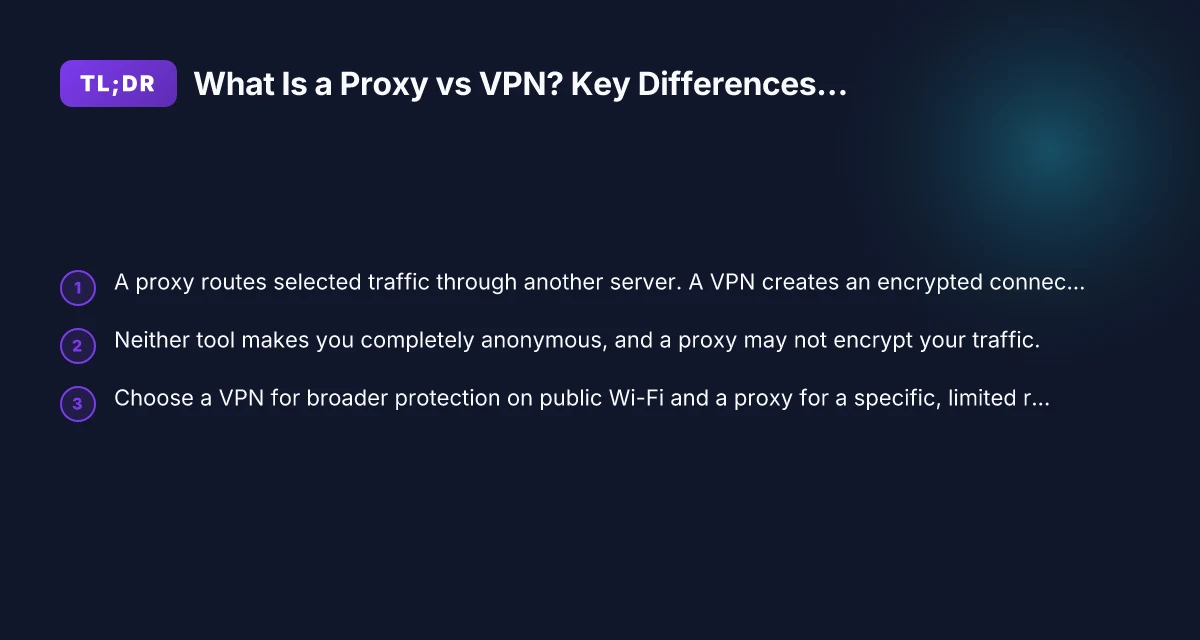
Choose a VPN if you want one tool to protect traffic from multiple apps, especially when using public Wi-Fi, or if you need a secure connection to a private network. Look for a reputable provider with clear privacy terms, strong encryption, and the features you need.
Choose a proxy when you have a specific task that calls for routing one browser or application through an intermediary, and you understand what the service does and does not protect. For sensitive activity, avoid relying on an unencrypted proxy. Cisco Secure Client VPN: Setup, Features, and Troubleshooting
A proxy and a VPN can sometimes be used together, but doing so adds complexity and does not automatically improve privacy. The result depends on the configuration, and troubleshooting may be harder.
Which option should you choose?
| Your need | Better fit | Why | Keep in mind |
|---|---|---|---|
| Change IP for one browser | Proxy | Can route browser traffic | Other apps may use your normal connection |
| Route traffic from multiple apps | VPN | Often covers device traffic | Check app and device settings |
| Protect traffic on public Wi-Fi | VPN | Typically encrypts the connection | Choose a trustworthy provider |
| Access region-specific content | Either | Both can change your visible IP | Services may block either option |
| Add privacy from websites | Either | Both can mask your IP | Neither guarantees anonymity |
| Avoid provider visibility | Neither | The provider may see activity | Review provider policies |
| Need lightweight, app-specific routing | Proxy | Can be simpler for a single app | Usually offers less security |
Compiled November 2026; check the provider's site for current details.
Recommendation
For general privacy and safer connections across a device, a reputable VPN is usually the more practical choice. Use a proxy for a clearly defined, limited routing need. In either case, check which traffic is covered, use HTTPS, and choose a provider you are willing to trust. VPN for Microsoft Edge: What It Does and How to Choose One